The verdict
$599How we tested the Uplift V2
We used the Uplift V2 daily for three months — testing frame stability at standing height, motor speed and noise, the memory presets, and assembly.
- Raised and lowered it daily for three months
- Tested wobble at full standing height under load
- Timed the travel and measured the noise
- Programmed the presets and judged the assembly
Ask which standing desk to buy and the answer, year after year, is the Uplift V2. It hits the sweet spot the others miss: a genuinely stable dual-motor frame that lifts 355 pounds, a keypad with memory presets, quiet and quick travel, and a choice of more than twenty desktops from laminate to solid walnut. Above all, it carries a 15-year warranty — Uplift even replaces failed motors free — that no competitor comes close to. It is the desk we recommend first, with one caveat worth knowing.
| Type | Electric sit-stand desk |
| Frame | Dual-motor, 2-leg (or sturdier 4-leg / C-frame) |
| Height range | 25.3–50.9 in |
| Speed | Full travel in about 12 seconds, under 45 dB |
| Capacity | 355 lb — best in class for home desks |
| Keypad | 4 memory presets |
| Safety | Anti-collision with 6-axis accelerometer |
| Tops | 20+ materials, sizes 42×30 to 80×30 |
| Warranty | 15 years |
What the Uplift V2 is
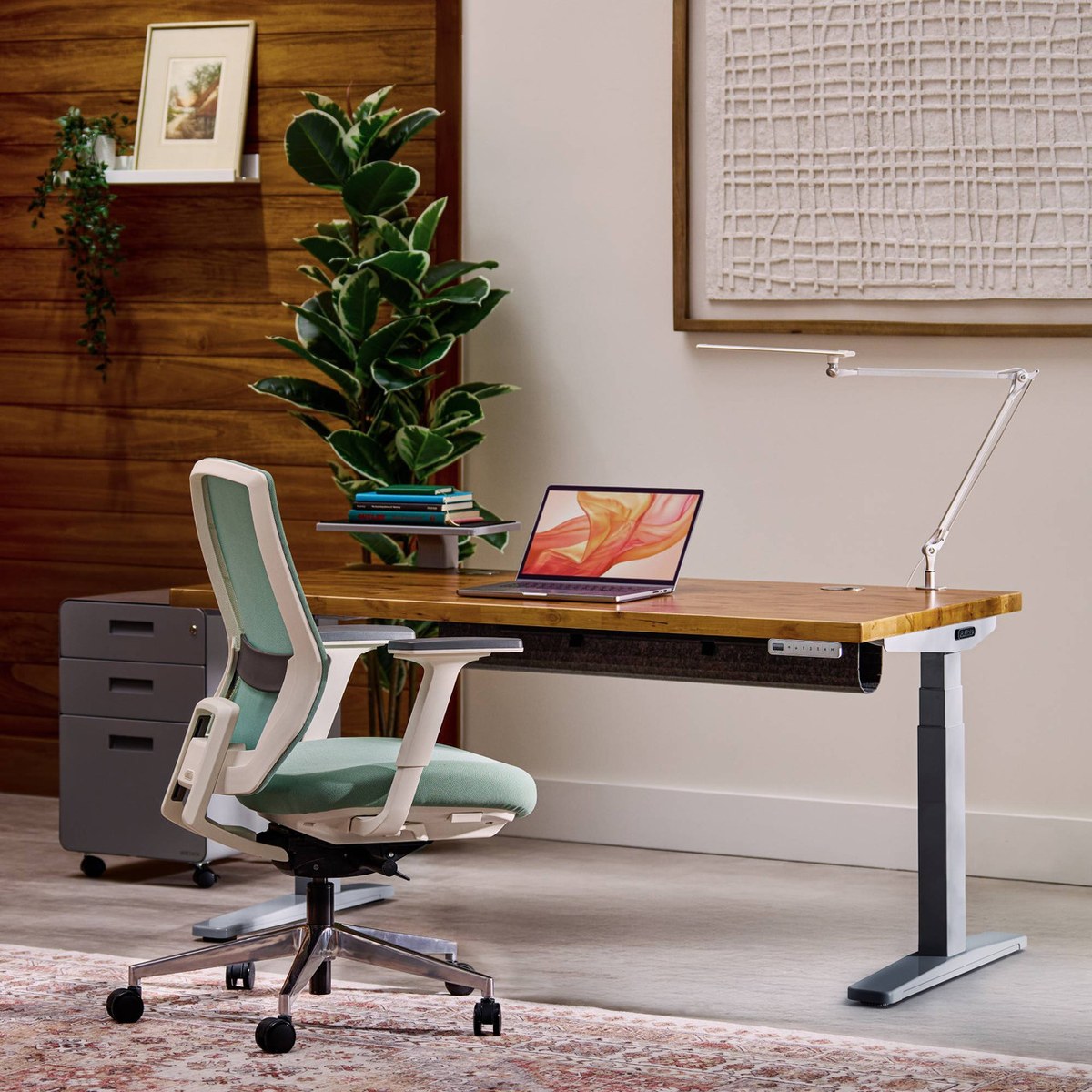
The Uplift V2 is an electric sit-stand desk — a height-adjustable frame you pair with a desktop to switch between sitting and standing at the press of a button. Dual motors drive the legs up and down across a wide height range, a keypad stores your preferred positions, and you configure it from a large menu of frame options, desktop materials and accessories. It is the desk that dominates ‘best standing desk’ lists, and the one most people end up buying.
The frame and build
The frame is the heart of it. The V2 is a solid, well-machined dual-motor base with thick steel legs, rated to lift 355 pounds — best in class for a home desk, and enough for multiple monitors, an arm and everything else on a loaded desk. The standard model is a two-leg frame, and Uplift also offers a sturdier four-leg and a commercial C-frame for those who want maximum rigidity. Build quality is a clear step above the flimsy frames on budget desks.
Motor, height range and speed
The dual motors move the desk from 25.3 to 50.9 inches, which suits users from short to tall (with the right frame option), and they do it quickly — full travel in about twelve seconds — and quietly, under 45 decibels, so you can raise the desk on a call without broadcasting it. Two motors also mean smoother, more even lifting than a single-motor desk. In our testing the movement was fast, quiet and rock-steady through its range.
Stability and the wobble question
Here is the honest caveat. Every tall two-leg standing desk has some wobble at full standing height, and the V2’s standard two-leg frame is no exception — it is well-controlled and better than most, but power users who load a lot of weight up high sometimes notice it. The fix is Uplift’s four-leg or C-frame option, which is markedly more rigid. For most people at normal loads the two-leg is stable enough; if you are sensitive to wobble, spec the sturdier frame from the start.
Desktop options
The desktop menu is a big part of the appeal. You can choose from more than twenty materials — laminates in many colours, bamboo, rubberwood, reclaimed fir, and genuine solid-wood tops like walnut — in sizes from 42×30 up to a huge 80×30. That range lets you match a budget or a room precisely, from a simple laminate to a heirloom-quality hardwood. Solid-wood tops push the price up considerably, but the option to have a truly nice desk surface is rare at this level.
Setup and assembly
Assembly takes 30–60 minutes and is straightforward — attach the legs and feet to the frame, mount the desktop, and plug in the control box and keypad. Uplift’s instructions are clear and the hardware is well-labelled. It is a two-person job for the heavier solid-wood tops. Once built, you program the memory presets once and it is set. It is more assembly than a fixed desk, but no harder than typical flat-pack furniture.
Everyday use
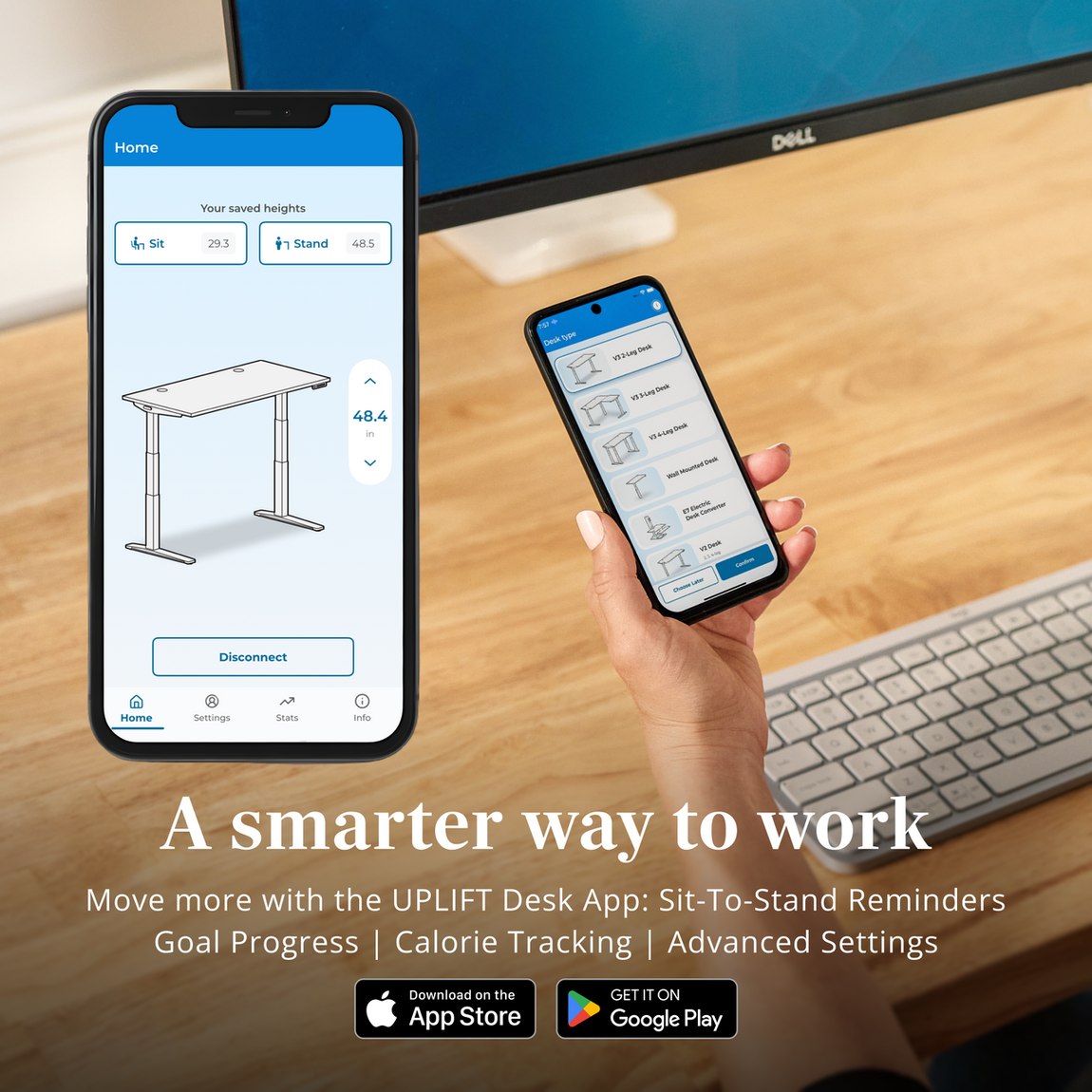
Day to day, the V2 is the standing desk you actually use because switching is effortless: tap a memory preset and it glides to your sitting or standing height in seconds. The four presets suit multiple users or multiple postures. The anti-collision system — a six-axis accelerometer that stops the desk if it hits something — protects a chair arm or a drawer underneath. It quietly does its job for years, which is exactly what you want from a desk.
How it compares to the alternatives
Against cheaper standing desks, the V2 wins on frame quality, capacity, desktop choice and, decisively, the 15-year warranty — budget desks typically give three to five. Against premium rivals like Fully’s Jarvis (now part of the same family) or Vari, the V2 matches or beats them on stability and configurability. The main knock — two-leg wobble at height — is solved by its own four-leg option, which keeps it the category benchmark.
Price, value and warranty
At around $599 to start (laminate top), and more for solid wood or a sturdier frame, the V2 is priced above budget desks but delivers far more chair-per-dollar in build and, above all, in warranty. The 15-year coverage — with free motor replacement — is unmatched and reframes the cost as a long-term investment: this is a desk you keep for over a decade. Configure it sensibly (skip pricey add-ons you will not use) and it is excellent value.
Who it is for, and who should skip it
Buy it if you want a stable, configurable, long-lasting sit-stand desk with the best warranty in the category — the safe recommendation for almost anyone. Spec the four-leg or C-frame if you load a lot of weight up high or are sensitive to wobble. Skip it (for a cheaper desk) if you only occasionally stand and do not need the build or warranty. For a desk you will use daily for years, the V2 is the one.
Pros & cons
What we like
- Stable, well-built dual-motor frame lifts 355 lb
- Quiet, quick travel with four memory presets
- Huge desktop choice, from laminate to solid walnut
- Anti-collision safety and a wide height range
- Unmatched 15-year warranty, with free motor replacement
Worth knowing
- Standard two-leg frame can wobble at full standing height
- Solid-wood tops and sturdier frames raise the price
- Assembly takes 30–60 minutes (two people for heavy tops)
- Add-ons can inflate the price if you are not careful
Where to buy the Uplift V2
Check the current price and availability before you buy — it moves.
Check the price →FAQ
Is the Uplift V2 worth it?
Does the Uplift V2 wobble?
How much weight can the Uplift V2 hold?
What desktop options does the Uplift V2 have?
How long is the Uplift V2 warranty?
Is the Uplift V2 hard to assemble?
The Finer Home may earn a commission if you buy through links on this page, at no extra cost to you. We buy and test what we review; prices were accurate at publishing — confirm at checkout. See our affiliate disclosure.